
Most record collections live entirely in their owner's head. You know roughly what you have, roughly where it is, and roughly what it is worth. Roughly is fine until the day you are standing in a shop wondering if you already own a record, or filing an insurance claim, or simply trying to find something on a full shelf.
Cataloging fixes that. It turns a pile of records into a collection you can see, search, value, and use. Discogs is where most collectors do it, because Discogs is not really a catalog app at all. It is a database of nearly every record ever made, built and maintained by collectors, and your collection is just a list of pointers into it. That distinction is the key to doing this well. You are not typing your records into a list. You are matching each one to an existing entry, which is why accuracy matters and why this guide spends most of its time on getting the match right.
What follows is the complete process, from your first record to the habit that keeps the whole thing current.
Why catalog at all
A cataloged collection earns its keep in several concrete ways.
It tells you what you own, which sounds obvious until you have bought your second copy of the same album by accident in a crowded shop. It tells you what your records are worth, drawing on real sale prices rather than guesswork, which matters for insurance and for selling. It lets you find things, by artist, genre, year, label, or shelf. It becomes a record of your taste, a timeline of what you bought and when. And once your collection exists as structured data, other tools can build on it. Analog, the app behind this Journal, is one of them: it reads your Discogs collection and turns it into a companion for listening. That is the quiet long-term payoff.
The work is front-loaded. The first few hundred records take a few evenings. After that, cataloging is a thirty-second habit you do whenever a record comes home.
Set up your collection
Discogs is free. Create an account, and you immediately have a Collection, the private list of records you own, and a Wantlist, the list of records you are hunting for. They work the same way and sit side by side.
You can catalog from a desktop browser or from the Discogs mobile app, and the collection syncs between them. Most collectors use both. The app is for scanning and adding records quickly while standing at the shelf. The browser is better for the wider screen, for bulk cleanup, and for managing folders and custom fields. Nothing forces you to choose. Add a record on your phone and it is on the website a moment later.
The core workflow: find the release, then add it
Cataloging a record is two steps. Find the exact release in the Discogs database, then add it to your collection. The second step is one tap. The first step is the whole craft.
Scanning the barcode
If your record has a barcode on the sleeve, the Discogs app can read it. Open the app, tap the barcode icon at the end of the search bar, and point the camera at the code. Discogs returns the matching releases.
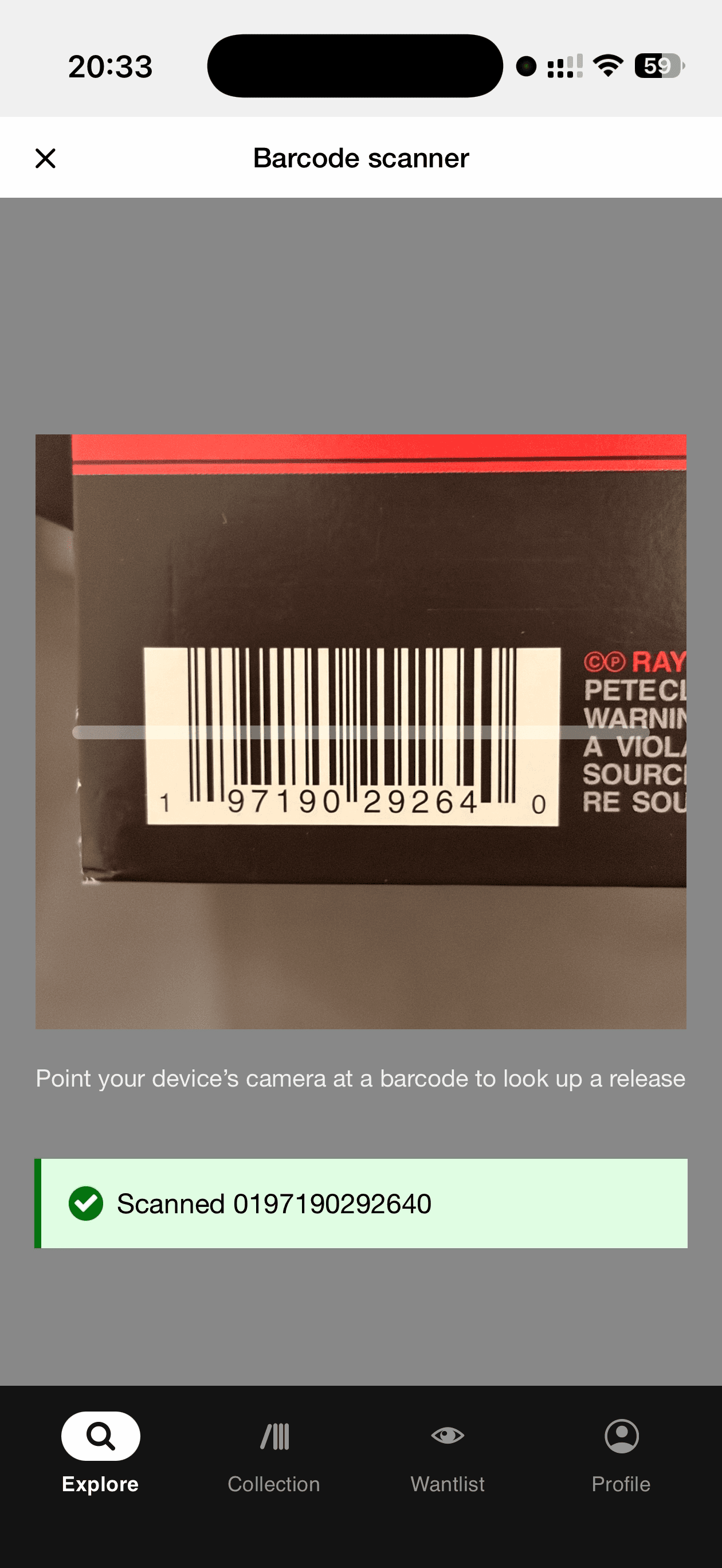
Note the plural. Scanning does not add the record automatically, and it should not, because the same barcode is regularly shared by several different releases: an original and a later repressing, a domestic edition and an import. The scan narrows the field. You still confirm which version is in your hands before you tap Add to Collection.
Barcode scanning is fast, but it has two real limits. Barcodes only appeared on records in the late 1970s and were not common until the mid 1980s, so anything older has no code to scan. And not every release in the database has had its barcode entered by a contributor. When scanning comes up empty, you search by hand.
Searching manually
For older pressings, rare records, and anything the scanner misses, search the database directly. The catalog number is the most reliable search term, since it is specific to one release. Artist and album title also work, though a popular album can return dozens of versions.
Matching the exact pressing
This is the step that separates a catalog you can trust from one quietly full of errors. A search for a famous album will surface an original pressing, half a dozen reissues, foreign editions, club editions, and box sets, all sharing a title and a cover. They are different releases with different catalog numbers, different values, and sometimes different tracklists. Adding the wrong one corrupts your entry: the value will be off, the details will be someone else's record, and any tool that reads your collection will be working from a fiction.
The most common mistake is matching on catalog number alone. It is a good start, but reissues often reuse or lightly vary the original number, and a single catalog number can cover several pressings. To pin down the right version, compare more than one detail at once: the catalog number, the country of manufacture, the label design and color, the barcode if there is one, and the matrix codes etched into the runout groove. Visual tells like a deep-groove label or an original company address on the label can separate an early pressing from a later one.
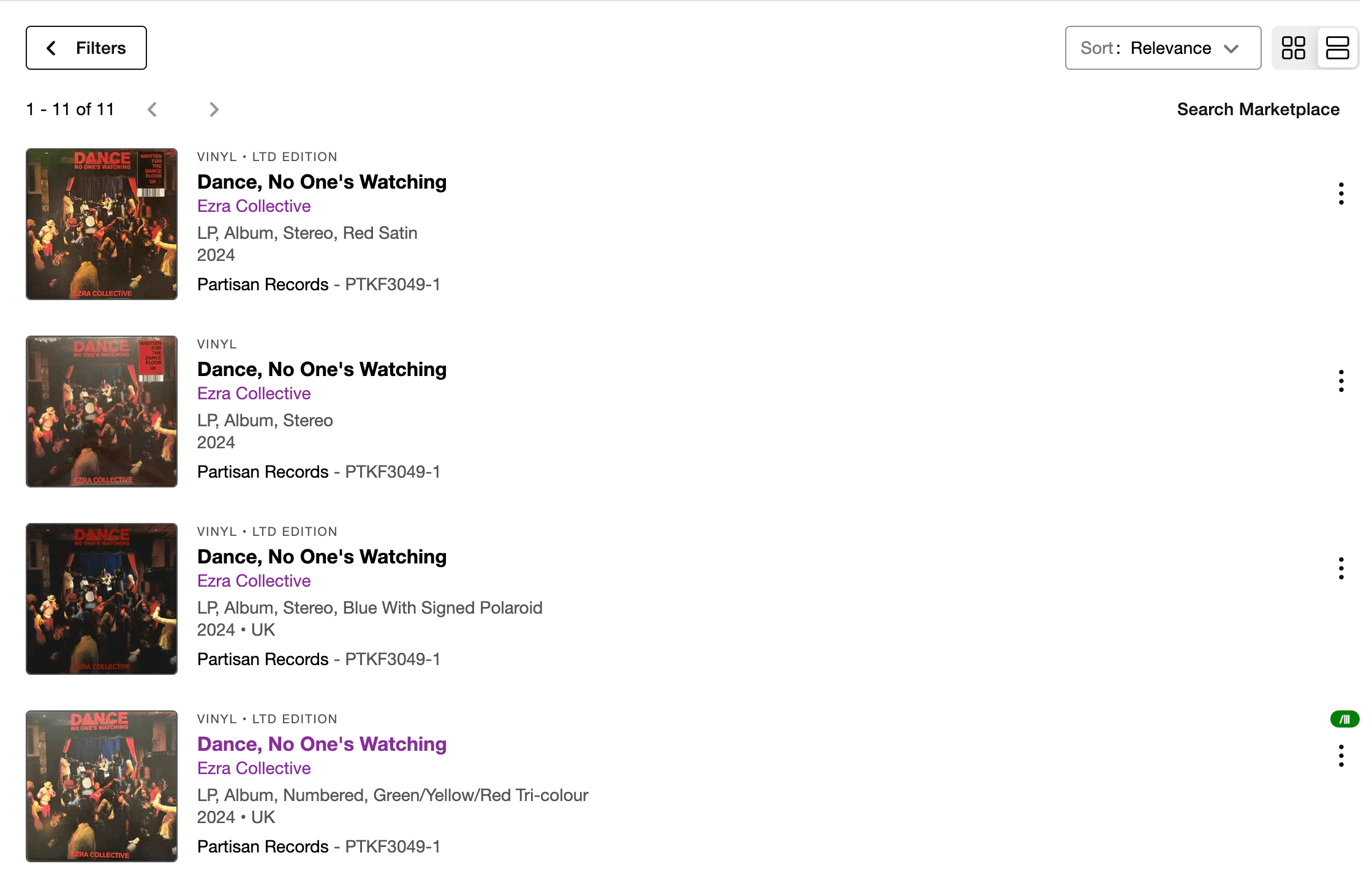
The reliable method is to photograph your record's label and the matrix etchings in the deadwax, then open the album's list of versions on Discogs and work down it until one entry agrees with your record on every detail you can check. When everything lines up, that is your release. If you want a full walkthrough of reading those clues, our guide to identifying which pressing you own covers catalog numbers, deadwax matrix codes, label variants, and dating a sleeve.
It is worth being patient here. A correctly matched record takes a minute longer than a careless one, and it is the difference between a catalog that is genuinely useful and one that merely looks complete.
When the record is not in the database
Discogs is vast but not total. Occasionally you will hold a record, usually something obscure, regional, or very new, that has no entry at all. In that case you can submit it, and contributing back is part of how the database stays good.
Submitting a release has rules worth respecting. You must have the physical copy in front of you, not a listing or an image from elsewhere. You must check carefully that it is not already entered under a slightly different spelling. And you should upload at least one clear photo of the actual item as proof, or the submission may be removed. If you are new to contributing, stick to the minimum required fields and keep the submission simple and correct rather than ambitious and wrong. Once the release exists, add it to your collection like any other.
Grade the condition
When you add a record, Discogs lets you record two separate condition grades, and they are worth filling in. Media condition describes the disc itself. Sleeve condition describes the cover and packaging. They are graded separately because a record can play beautifully inside a cover that has been through forty years of handling.
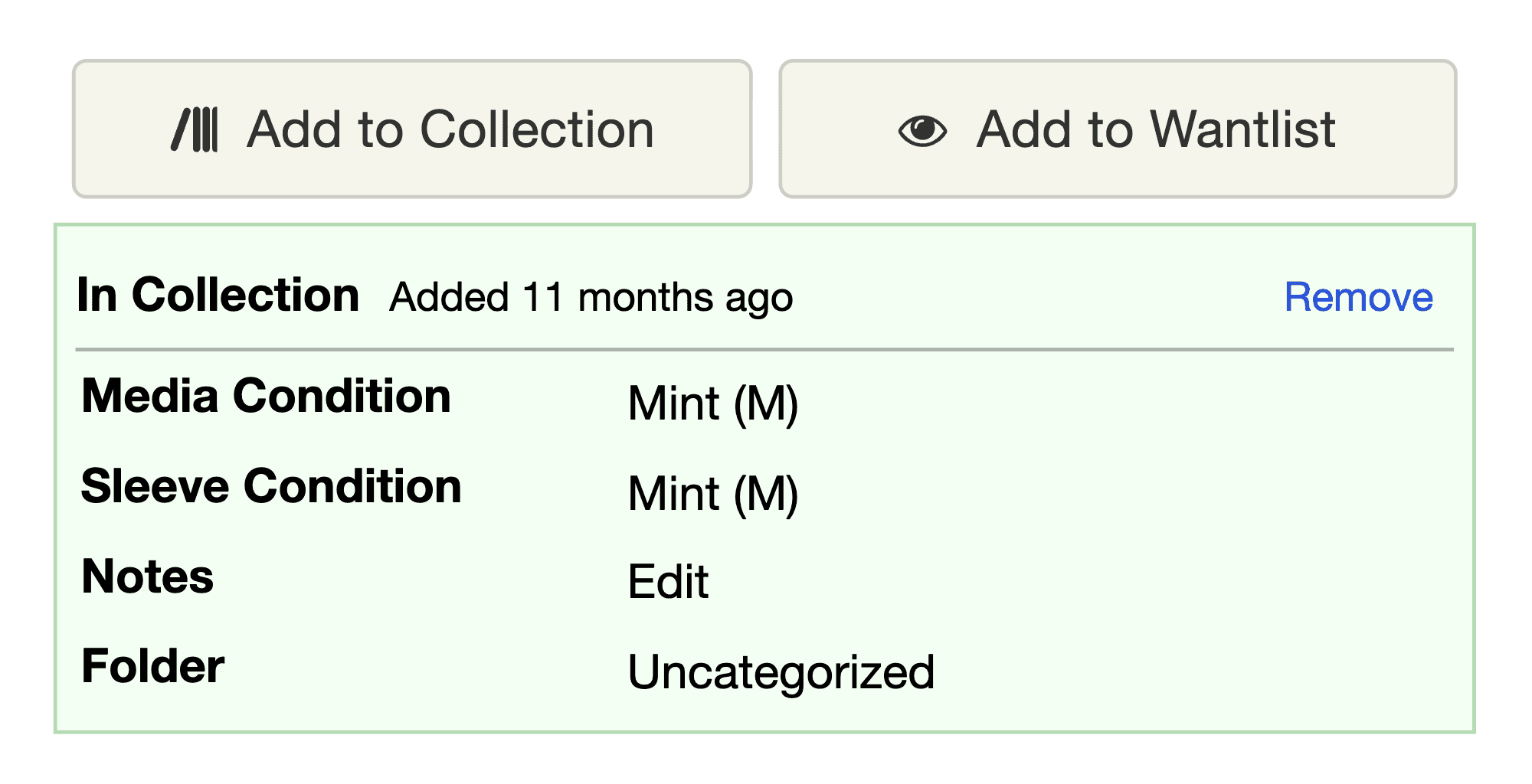
Discogs uses the Goldmine grading standard, the scale the whole resale market runs on. From best to worst:
- Mint (M) is flawless in every way, never played, often still sealed. Most collectors use it sparingly and only for genuinely perfect items.
- Near Mint (NM) is nearly perfect, with no obvious wear and no playback imperfections. This is the realistic top grade for most well-kept records.
- Very Good Plus (VG+) shows light signs of having been played and handled with care. Minor cosmetic marks, faint scuffs, slight sleeve wear. It is conventionally valued at around half the Near Mint price.
- Very Good (VG) has more pronounced defects. Audible surface noise, light scratches you can feel, writing or stickers on the labels or sleeve.
- Good Plus (G+) and Good (G) are well played and possibly abused, with deep scratches, but still play through with some decency. Market value drops sharply here, often into the range of ten to fifteen percent of Near Mint.
- Fair (F) and Poor (P) are damaged: records that skip, are badly warped or cracked, in split and written-on sleeves. They have value mainly as filler or for a rare title with no better copy available.
Grade honestly. Inspect the disc under a raking light, and where you can, grade by how a record actually plays rather than how it looks. If grading every record feels like too much on day one, skip it and add grades later. A release in your collection without a grade is still far more useful than a release you never added.
Organize with folders, fields, and ratings
By default every record lands in a single folder called Uncategorized. For a small collection that is fine. As it grows, three organizing tools earn their place.
Folders. You can create folders for whatever division makes sense to you: by genre, by format, by physical location, by a queue of records you have not yet listened to. Discogs allows up to a thousand folders, so the structure can be as fine as you like. A setup many collectors favor is to mirror their actual shelves, so the catalog tells you not just what you own but exactly where to reach for it.
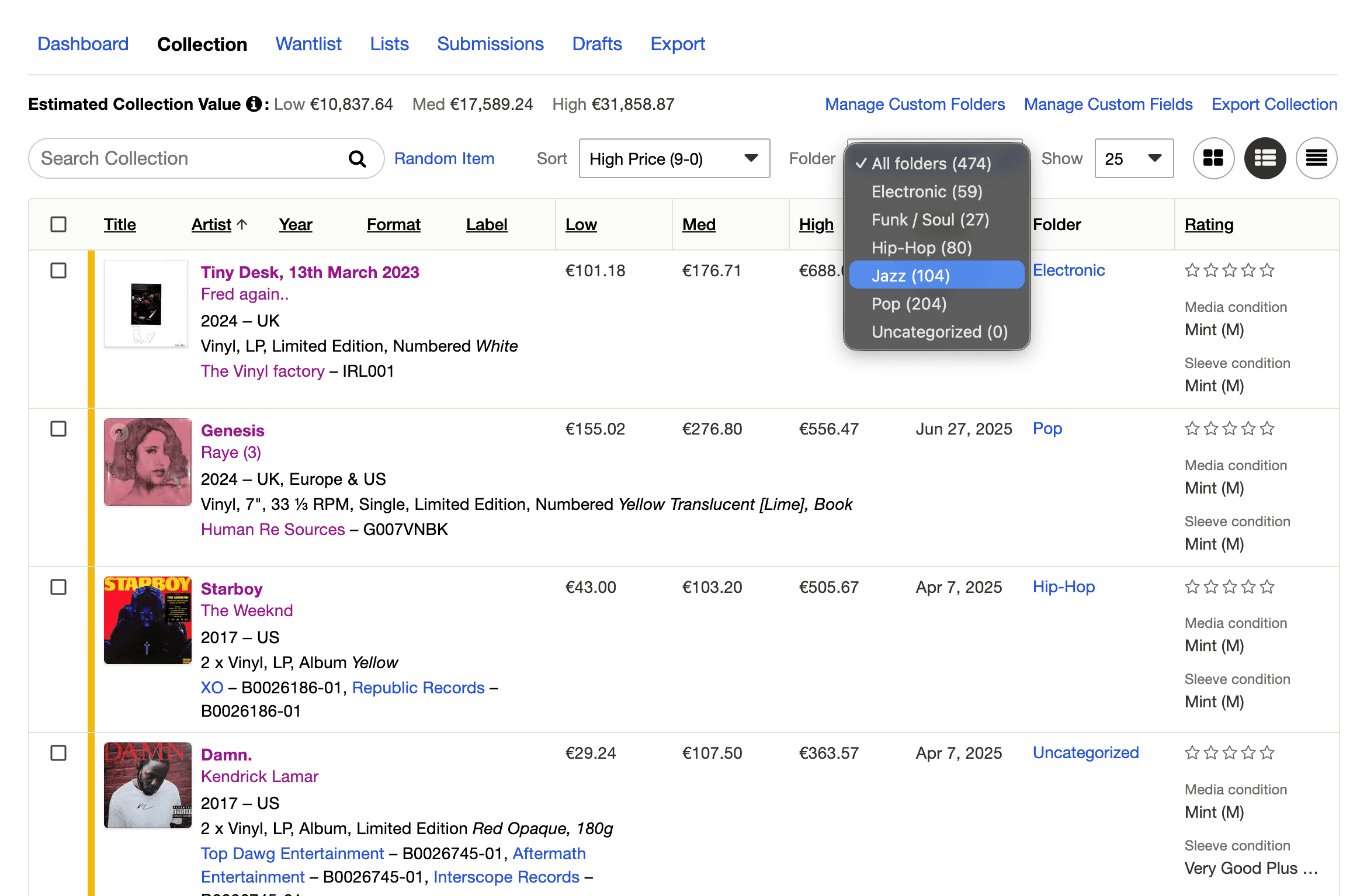
Custom fields. Beyond the built-in fields, you can create your own from the Manage Custom Fields settings. This is where details that are personal to your copy belong: the price you paid, the date and place you bought it, a storage location, a condition note. These fields turn the catalog from a list of records into a small archive of your collecting.
Ratings. Discogs lets you give each release a star rating. Over time these add up into a genuinely useful view of your own collection, a way to surface favorites and to remember how you felt about a record you have not played in a while.
If you own two copies of the same release, add it to your collection twice, once per copy, so condition and value count correctly. Some collectors also keep a custom quantity field to track duplicates at a glance.
Track what your collection is worth
Once records are in your collection, Discogs estimates value from real marketplace sales. For each release it shows three figures, and it is worth knowing exactly what they mean.
The estimate for a release is based on roughly its last ten sales in the Discogs Marketplace. The minimum is the lowest of those recent sale prices, the median is the middle one, and the maximum is the highest. Discogs adds those up across every record you own to produce a collection total, shown as a range.
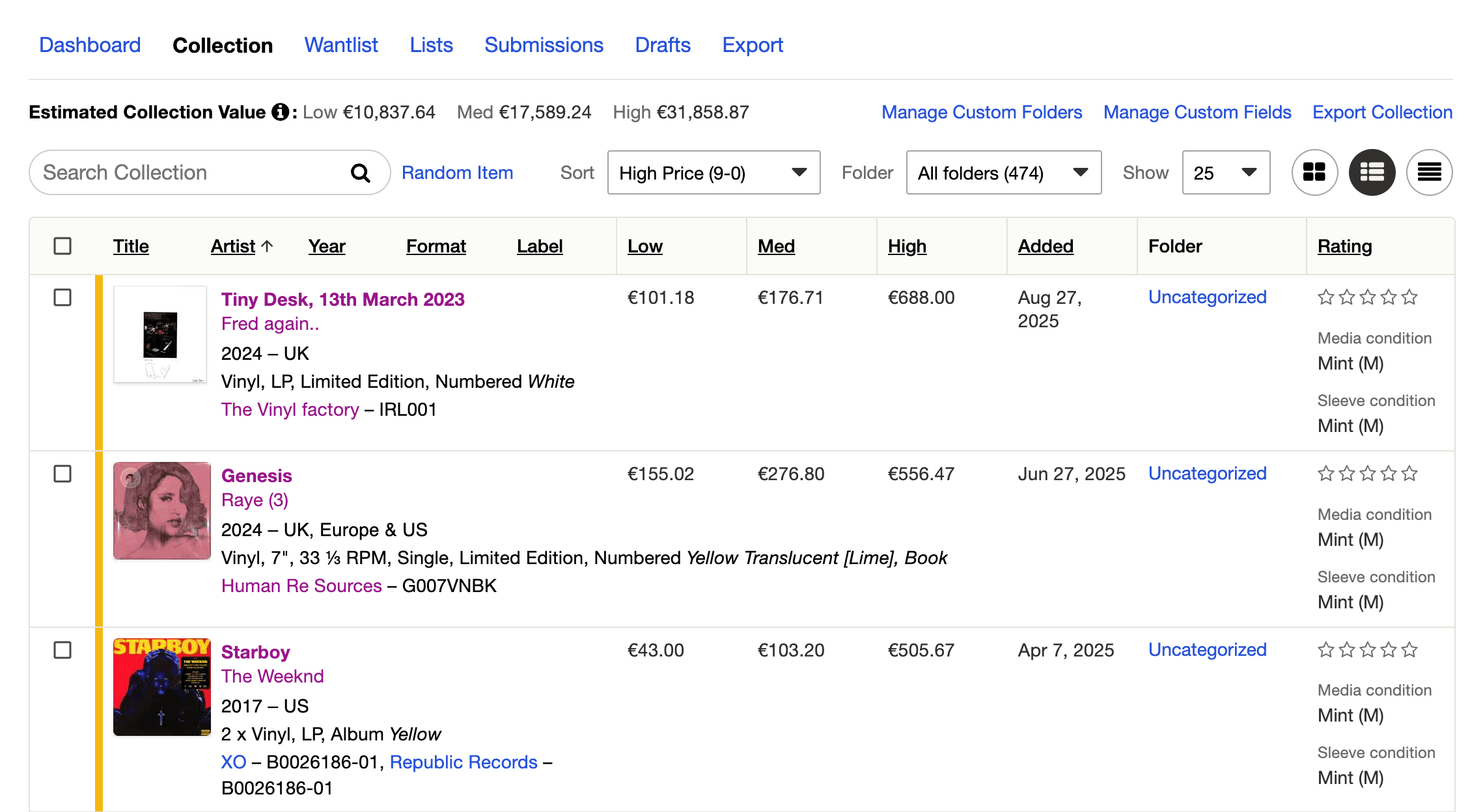
Two limitations matter. First, the estimate does not factor in your copy's condition at all, which is exactly why three numbers are given rather than one. A worn copy sits nearer the minimum, a clean one nearer the maximum. Second, a release that has never sold on Discogs contributes nothing to the total, so collections with rare or obscure records are often undervalued by the figure. Treat the number as a useful, well-sourced estimate for insurance documentation and for deciding what to sell, not as an appraisal of your specific copies.
Lists, the Wantlist, and privacy
A few adjacent features round out the picture.
Lists are separate from your Collection. A List is a curated set of releases you assemble for any purpose: records you intend to sell, a themed run of pressings, a wishlist for a particular shelf. Lists can be kept private, which makes them handy for planning without touching your main Collection.
The Wantlist is the mirror image of the Collection. As you catalog, add the records you are still chasing to it, and Discogs can alert you and help you find copies for sale.
Privacy. Your Collection can be public or private. The control lives in Profile, then Settings, then Privacy, as an option to allow others to browse your collection. Collection notes are private by default and only become visible to others if you explicitly make them public. Decide early whether you want your collection visible, since some collectors enjoy sharing it and others prefer to keep it to themselves.
Whatever you choose, your catalog remains your data. Discogs can export your entire Collection, custom fields included, as a spreadsheet with columns for artist, title, label, catalog number, format, year, rating, and date added. It is worth doing an export now and then as a backup, and it means you are never locked in.
Keep it accurate
The catalog that pays off is the one that stays current. The trick is to make cataloging part of acquiring a record rather than a separate chore. A record comes home, and before it goes on the shelf it goes into Discogs: scan or search, match the exact pressing, set the two grades, drop it in a folder. Thirty seconds, and the catalog never falls behind.
The mistakes to watch for are the quiet ones. Matching on catalog number alone and adding the wrong pressing. Leaving everything in Uncategorized until the collection is too big to sort. Meaning to grade later and never doing it. None of these break anything visibly, which is what makes them easy to let slide, and all of them are far easier to avoid as you go than to fix in a marathon cleanup later.
Why an accurate catalog is worth the effort
A catalog is satisfying on its own, the same detective pleasure that comes with collecting. It is also the foundation other things are built on. An accurate Discogs collection knows what your records are worth, protects you at insurance time, stops you buying doubles, and quietly becomes a history of your taste.
It also powers the tools you use to enjoy your records. Analog is one of them. It connects to your Discogs collection and turns it into a companion for listening: it recognizes the record on your turntable, follows the tracklist as it plays, and builds listening sessions from records you already own. Everything it does rests on your collection being accurate and complete, with each record matched to the right pressing. That is the best argument there is for cataloging carefully in the first place.
Get the catalog right once, keep it current with a thirty-second habit, and your collection stops living only in your head.